One menu, with room to differ
Categories and items defined for the group appear in every branch, while a branch can carry its own. The branch's menu is the group's list plus what belongs only to it.

Multi-branch restaurant management
Set the menu once and let a branch differ where it must. Give each location its own staff, roles and stock, then read all of them in one consolidated P&L.
What multi-branch means here
In Plato a branch is a real boundary, not a filter on a report. Menu, roles and reporting are defined once at the group level; stock, staff, tickets, cash and channels belong to the branch that runs them. That split is what lets one operator compare six kitchens without six systems.
Group and branch
Multi-branch software fails in one of two directions: everything shared, so no branch can differ, or everything separate, so nothing can be compared. The line has to be drawn per object.
Categories and items defined for the group appear in every branch, while a branch can carry its own. The branch's menu is the group's list plus what belongs only to it.
A branch can pause a sales channel on its own and resume it later, so one location stopping delivery for the night does not take the group offline with it.
51 permissions across 8 role templates — owner, manager, cashier, waiter, kitchen, driver, accountant and host — assigned per branch, so a manager in one location is not an owner everywhere.
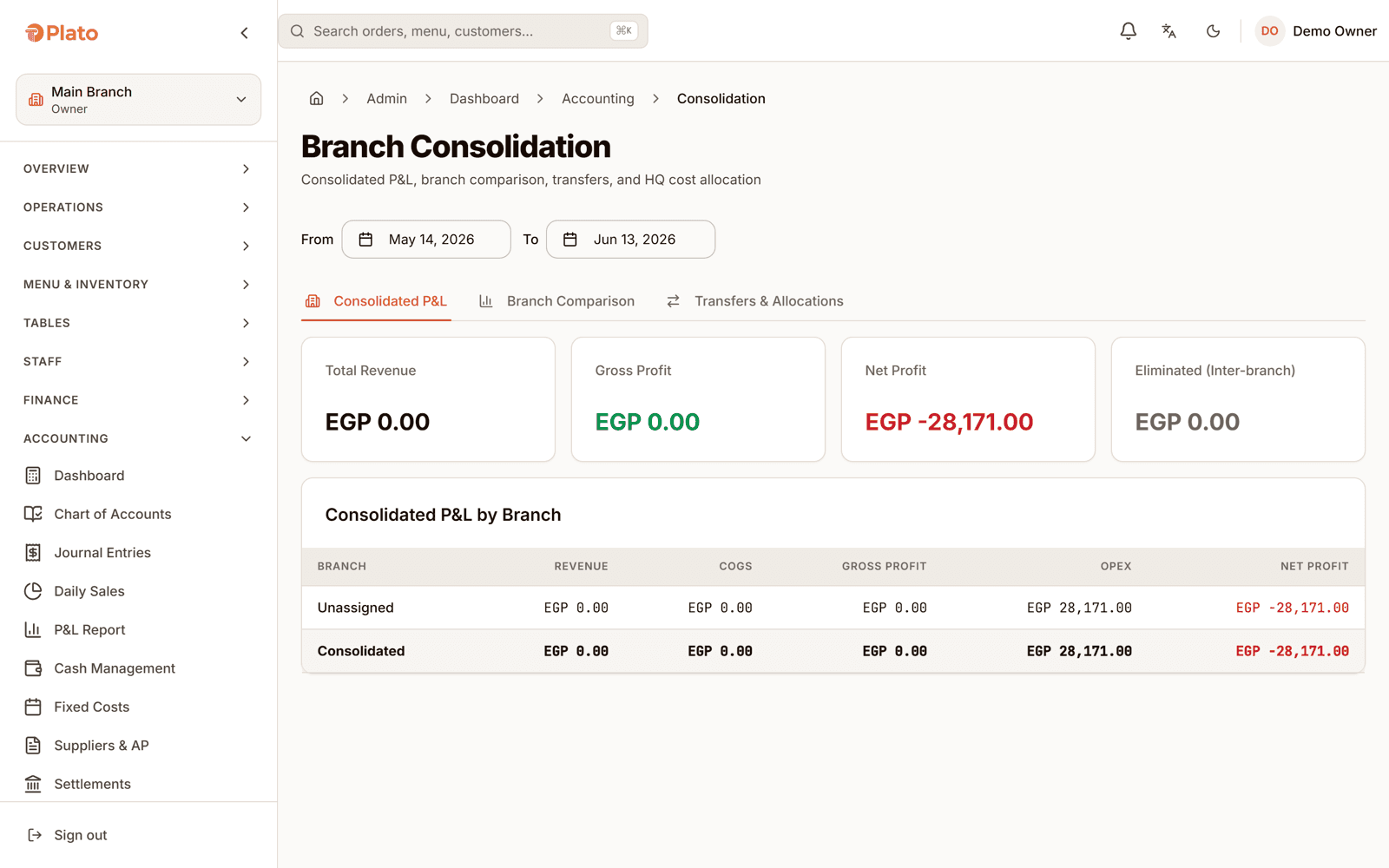
A consolidated P&L across the group, branch comparison and ranking against each other, inter-branch transfers, and head-office cost allocated deliberately rather than smeared.
One person, three branches, three different answers.
Access by branch
Permissions are defined once and granted per branch. Someone can run the floor in one location, read reports in another, and have no access at all to a third — without maintaining three separate accounts for one person.
Against one system per branch
Most groups grow by repeating a single-branch setup. It works until someone asks which branch is actually making money.
| Capability | One system per branch | Plato |
|---|---|---|
| Menu | Maintained separately, drifts apart | Group menu plus branch-specific items |
| Staff access | An account per branch, per person | Roles granted per branch to one person |
| Stock | Isolated per location | Transfers issued and received between branches |
| Reporting | Exports combined by hand | Consolidated P&L, comparison and ranking |
| Head-office cost | Split in a spreadsheet | Allocated across branches in the books |
| Opening a branch | A new installation | A new branch on the same group |
Fitted to how the group grew
Keep the menu and the team you already trained, and get the comparison between the two branches from the day the second one opens.
Branches roll up under brands, so a group running more than one concept can read each brand on its own and still see the whole.
Produce centrally, transfer stock out to the branches that sell it, and keep the cost attached to the location that consumed it.
Adding a branch
Opening a branch in Plato is configuration, not an installation. The group's menu and roles are already there.
Add the location to the group. It inherits the group's menu and the roles you already defined.
Add the items only it sells, set its channels, and configure its kitchen stations.
Grant roles to staff for that branch specifically, so access follows where they actually work.
Open the consolidated P&L and the branch comparison once both are trading.
Multi-branch questions
No. Items and categories defined for the group appear in every branch, and a branch can also carry items of its own. A branch's menu is the group's list plus whatever belongs only to it.
Yes. Roles are granted per branch, so the same person can have full access in one location, reports only in another, and none in a third.
There are 51 permission definitions and 8 role templates — owner, manager, cashier, waiter, kitchen, driver, accountant and host — which you can start from and then adjust.
Yes. A transfer is created, issued by the sending branch and received by the destination, so both sides keep an accurate quantity and the cost follows the stock.
Yes. Alongside the consolidated P&L, branches can be compared and ranked against each other, and head-office cost can be allocated across them rather than sitting in one place.
Yes. A sales channel can be paused for a single branch and resumed later, so one location closing a channel for the night leaves the rest of the group trading.
See it across your branches
Book a walkthrough with your real branches, the menu differences between them, and the people who work across more than one.
Send us a few details. We'll set up a live walkthrough on your real menu, in your language, within one business day.