Build the week, not the day
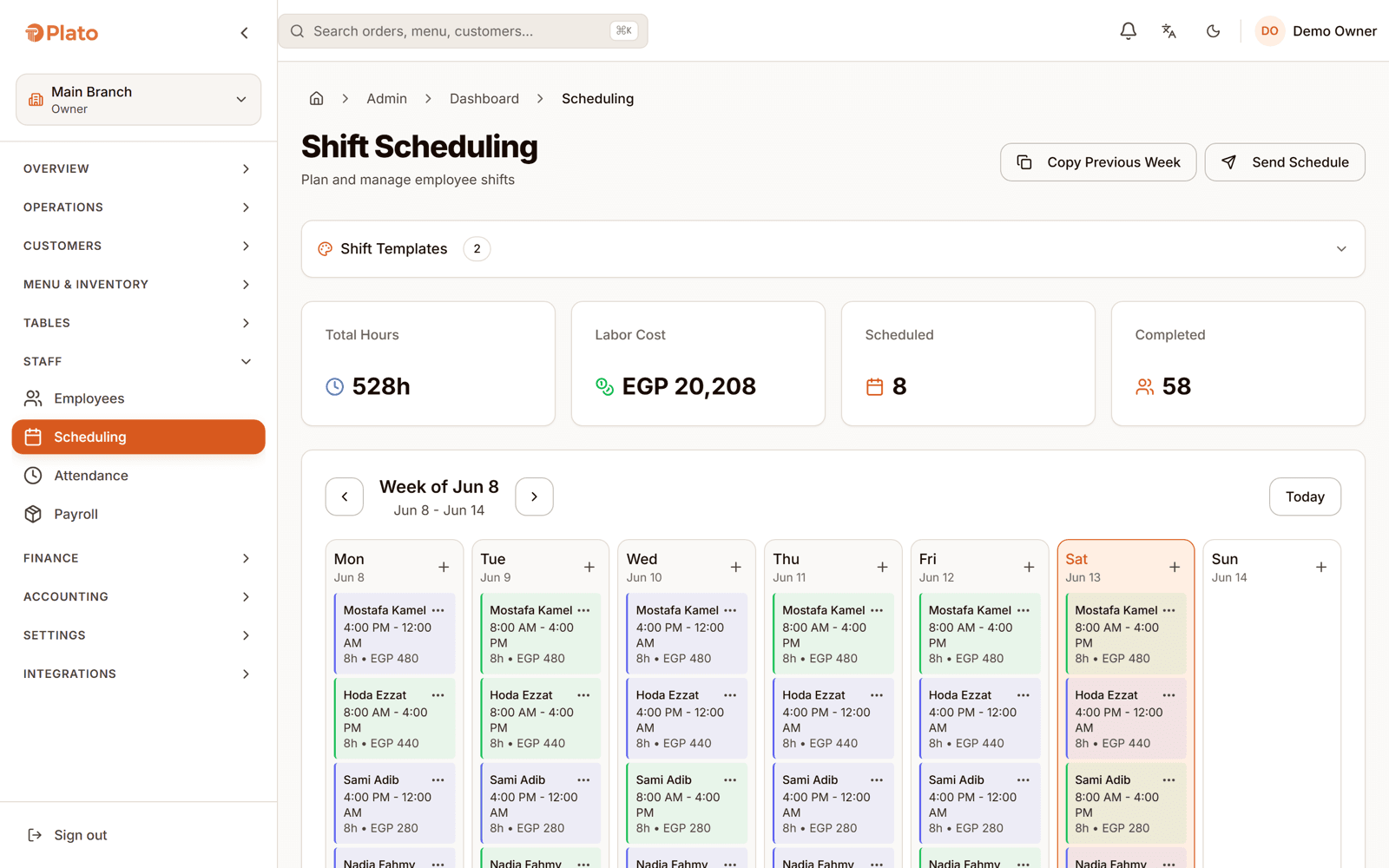
Shifts are created and edited a week at a time, so the rota is a plan you can look at rather than a list of individual decisions made under pressure.

Restaurant workforce management
Build the week's shifts, let staff clock in with a PIN on a shared device, and read the hours back by employee and by role before payroll runs.
What workforce management covers
Plato holds the week's shifts, the clock-ins and clock-outs against them, and the hours that come out the other end. Because staff are assigned to branches and roles, the same record decides what they can open on a screen and what they are owed at the end of the period.
From rota to payroll
Labour is the cost most restaurants manage by feel. It becomes manageable the moment scheduled hours and clocked hours sit next to each other.
Shifts are created and edited a week at a time, so the rota is a plan you can look at rather than a list of individual decisions made under pressure.
Staff clock in and out with a PIN on a shared device. Nobody needs a personal account, and current status shows who is actually on the floor.
Hours come back per employee and grouped by role, with a weekly trend — so you can see whether the cost is in the kitchen or on the floor before you change anything.
People are assigned to branches with a role, and that assignment is what grants access. Someone who works two locations does not need two accounts.
The rota is what you planned. Attendance is what happened.
Planned against actual
Scheduled shifts give you the intended hours for the week. Attendance gives you the hours that actually happened. Reading them together is what turns labour from a monthly surprise into a weekly decision.
Against the printed rota
A paper rota tells you what was supposed to happen. It has nothing to say about what did.
| Capability | Paper rota and notebook | Plato |
|---|---|---|
| Scheduling | Rewritten each week | A week of shifts you can edit |
| Attendance | A signature, maybe | PIN clock-in and clock-out |
| Who is in now | Walk and look | Current status per employee |
| Hours | Counted at month end | Per employee and per role |
| Trend | Not available | Weekly hours across the period |
| Access | Keys and trust | Role and branch assignment |
Fitted to how you staff
A stable rota that barely changes, with attendance to confirm it and hours ready when payroll comes round.
Weeks built around the hours that actually get busy, and clocked hours to show whether the plan survived Thursday night.
One person, assigned to more than one location, with the role for each — and hours that still add up correctly.
Getting the team on it
Start with the people you already employ and the week you were going to write on the whiteboard anyway.
Create employees and assign them to the branches they work in, with the role each one holds there.
Create the shifts for the week ahead and adjust them as the plan changes.
Staff clock in and out with a PIN, so attendance is captured without personal logins.
Check hours by employee and by role, and compare them against what you scheduled.
Workforce questions
They clock in and out with a PIN on a shared device, so no one needs a personal account or a phone, and the current status shows who is on shift right now.
Yes. Shifts are created and edited by week, so you build the rota as a plan rather than as a series of one-off decisions.
Yes. Hours come back per employee and grouped by role, with a weekly trend, so you can tell whether labour cost is moving in the kitchen or on the floor.
Staff are assigned to branches with a role for each, so one person can work in more than one location without needing separate accounts.
The same assignment that puts someone on a branch also carries their role, and the role is what grants permissions on the screens they use.
Plato produces the payroll summary and the hours detail behind it, per employee and per role, so the period's numbers come from recorded attendance rather than a rebuild at month end.
See it on your own rota
Book a walkthrough with your real team, your busiest shifts and the labour number you cannot currently see until it is too late.
Send us a few details. We'll set up a live walkthrough on your real menu, in your language, within one business day.